



Help
My Adobe Gallery HELP Guide
Your digital gateway to curated Southwest treasures and collection management.
Your My Adobe Gallery (MYAG) account is a personalized dashboard designed to help you track acquisitions, manage your wish list, and receive early access to new arrivals.
Accessing Your Digital Portfolio
Located at the very top of every page on our site is the Member Login link. Click here to begin.

Usernames are case-sensitive. If forgotten, select "Forgot Username." We will instantly email your credentials to the address on file.
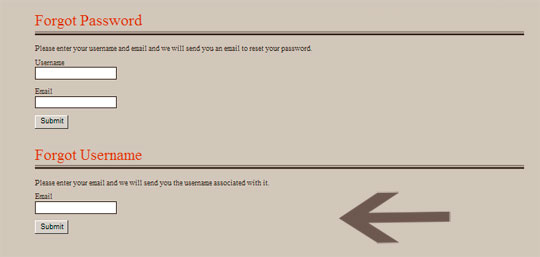
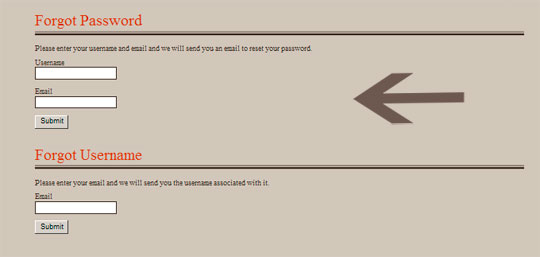
Once you have your username, use the "Forgot Password" tool. You will receive a secure reset link via email.
Enter your confirmed credentials and click SUBMIT to enter your private dashboard.

Membership Benefits & Features
Note: Features below are accessible only while logged into your account.
Personal Watch List
Curate your own private gallery of items for future study without the need to re-browse.
- To Save: Select + Add to my watchlist below any item.
- To View: Access your list via the View My Watchlist menu link.
Acquisition Alerts
Receive exclusive alerts for new arrivals 24 hours before they are released to the public.
- Select specific artists or tribes of interest.
- Tailor your notification frequency.
- Update your interests at any time.
Collection History
View records of your Adobe Gallery acquisitions dating back to the year 2000.
- Access original high-resolution images and descriptions.
- Review provenance details (Prices remain private for your security).
- Submit missing records for manual addition to your archive.
Consignment Tracking
Real-time oversight of your items currently being brokered by Adobe Gallery.
- Active: Items currently available for purchase on the gallery floor.
- Closed: Past sales records for your personal accounting.
Occasion Reminders
Let us help you celebrate. We can send automated reminders for birthdays or anniversaries.
- Schedule alerts for 1 week, 2 weeks, or 1 month in advance.
- Option to send to a secondary "surprise" email address.
Stewardship & Profile
Ensure your physical catalogs and fine art shipments arrive at the correct destination.
- Manage multiple shipping and mailing addresses.
- Update security credentials and contact preferences.
- Opt-in to physical brochure mailings.
+++++++++++++++++++++++++++++++++++++++++++++